

Paste dense research text
Use abstracts, methods, results summaries, lab notes, or lesson material as the source.
Paste methods, abstracts, lesson text, or research notes and turn them into labeled scientific figure drafts.
Drag and drop your paper, lab notes, lesson material, or document here or
Use the same source-to-visual workflow for biology, graphical abstracts, research workflows, and classroom science.
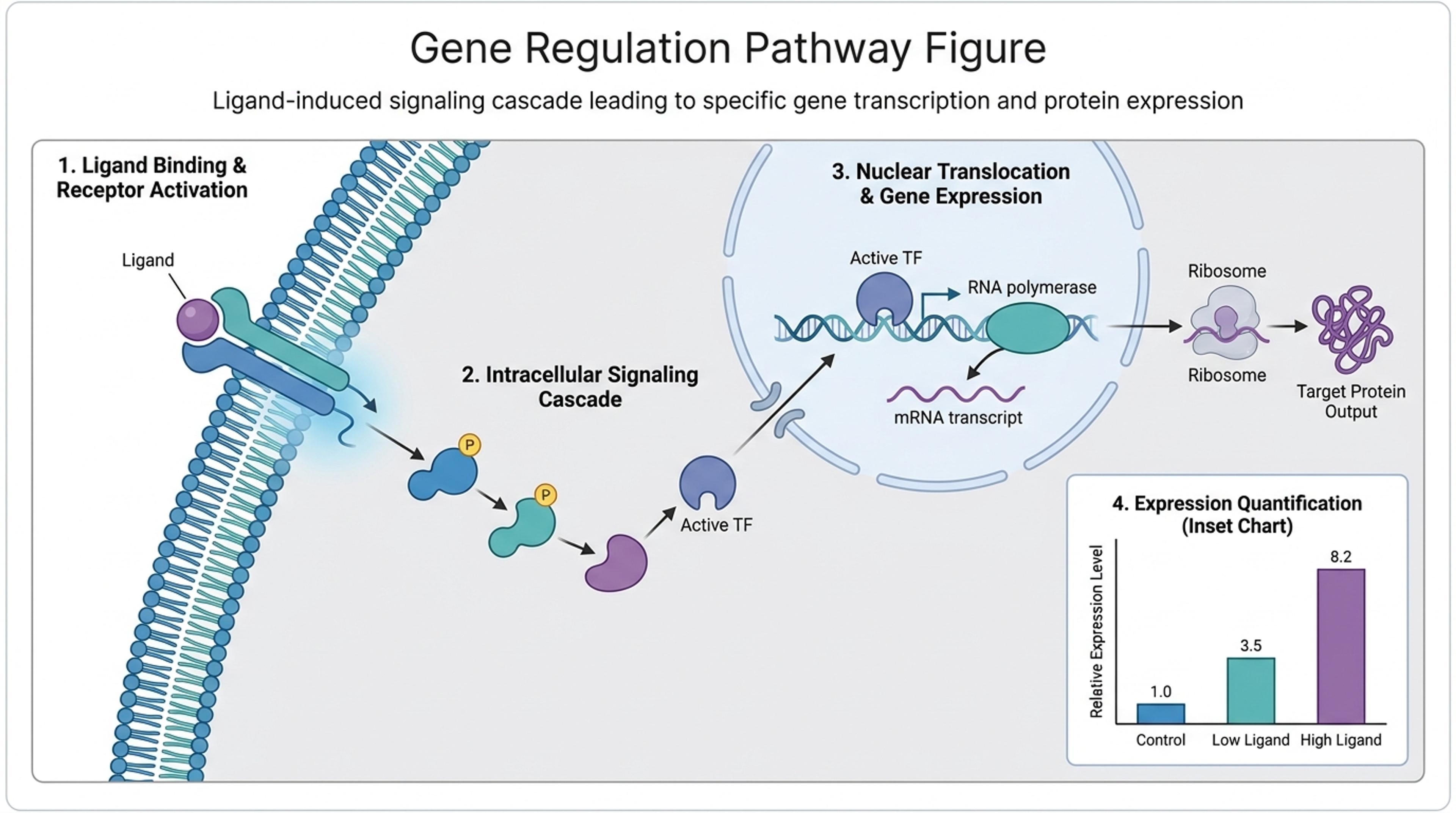
Turn a mechanism description into a labeled figure with pathway, transcription, and outcome panels.
Start from real research or teaching material and create visuals that are easier to explain, review, and share.
Use abstracts, methods, results summaries, lab notes, or lesson material as the source.
Convert paragraphs into labeled panels, flows, mechanisms, timelines, or concept diagrams.
Ask AI to simplify wording, add missing callouts, or adapt the figure for students or reviewers.
Add papers, notes, text, data, links, or a topic so Infograph.me has the scientific context.

Ask for a figure, graphical abstract, method diagram, concept map, timeline, or classroom-friendly explanation.

Infograph.me structures the source into labeled panels, captions, callouts, and readable visual hierarchy.

Use AI edits to improve labels, layout, and audience fit, then export the visual for your workflow.

Infograph.me focuses on readable scientific figures, research diagrams, classroom visuals, and academic communication.
The draft follows the text you provide instead of starting from a generic topic.
Turn claims, methods, variables, and outcomes into readable visual structure.
Adapt difficult explanations into visual teaching aids.
Use the output as a starting point for papers, posters, lab reports, and slides.
Iterate on wording, layout, captions, and visual emphasis after generation.
Download visuals for reuse in research and education workflows.
You can paste methods, abstracts, study notes, lesson text, findings, or a short scientific explanation.
Yes. Text-to-figure can create graphical abstract drafts when the source explains a study question, method, mechanism, or result.
Yes. Teachers can turn textbook paragraphs and lesson notes into classroom-friendly science diagrams.
Yes. Ask AI to rewrite labels, simplify captions, change layout, or add missing sections.
Yes. Always review labels, relationships, units, and claims before using a figure in formal work.
Continue with adjacent Infograph.me pages for scientific figures, source-to-visual workflows, editing, and export.
Turn research notes, methods, data, and science topics into labeled scientific figure drafts with AI.
Generate clear scientific illustrations, concept diagrams, and explanation visuals from text, papers, links, and topics.
Create graphical abstract drafts from papers, abstracts, methods, findings, and research notes.
Turn research findings, methods, literature notes, and data into clear academic infographics.
Upload a paper, report, or lesson PDF and turn the source into a scientific figure, diagram, or graphical abstract draft.
Refine generated scientific figures with AI instructions for labels, layout, captions, hierarchy, and visual emphasis.
Prepare scientific figures for lectures, lab meetings, posters, and research presentations with editable slide workflows.
Turn papers, lab notes, links, text, and data into scientific figures, graphical abstracts, biology diagrams, and research visuals. AI Scientific Figure Maker | Built for research and education